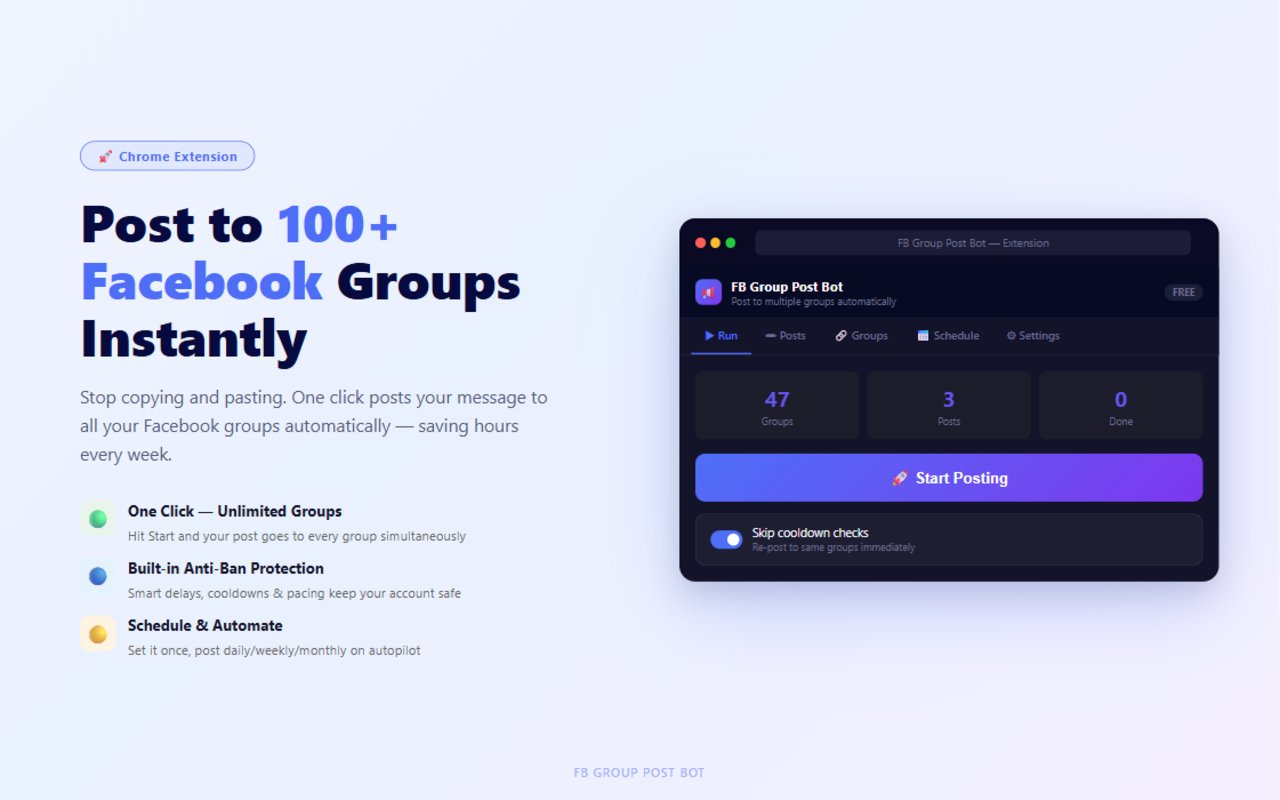
Stop copying and pasting. FB Group Post Bot automatically posts to all your Facebook groups — with anti-ban protection, smart scheduling, and campaigns built in.
View Full Feature Comparison →
Add your groups once, write your post, and let the bot handle the rest. It automatically opens each group, fills in your post, and submits — while you do other things.
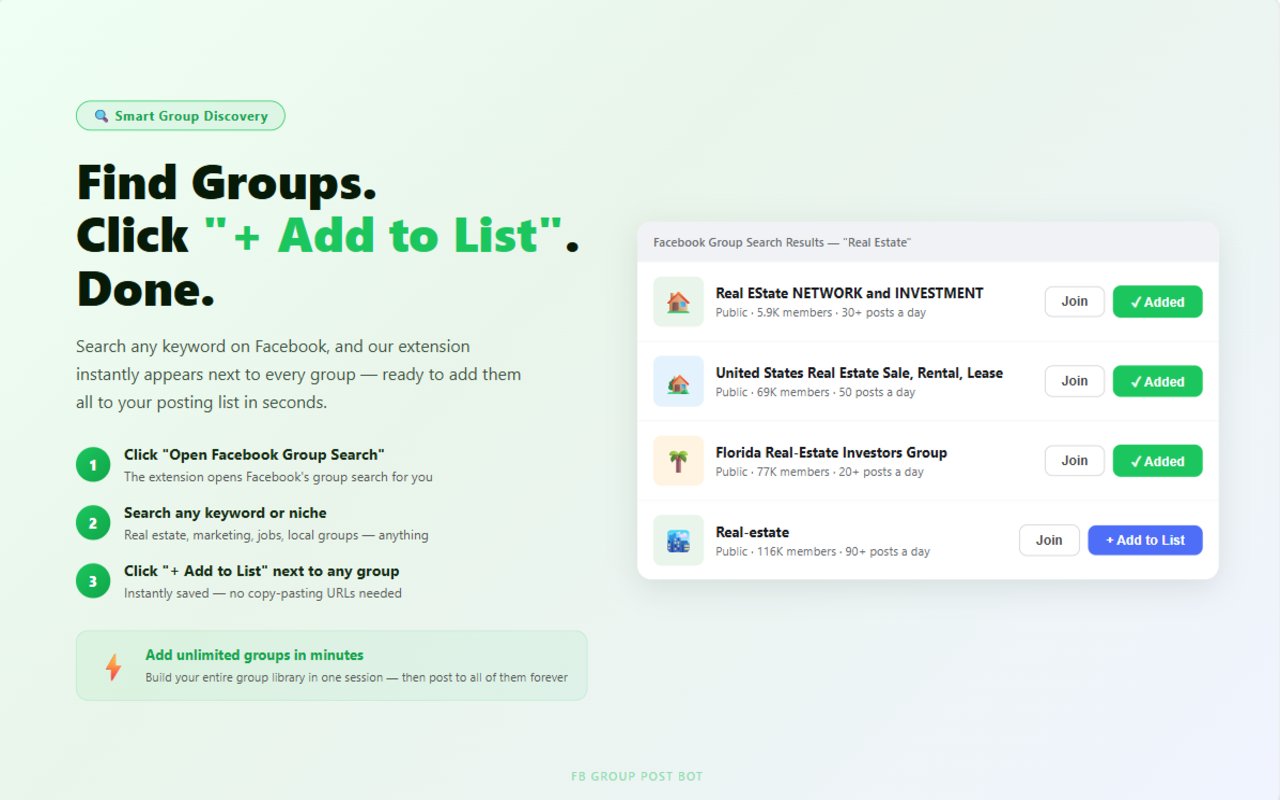
Search any keyword on Facebook and our extension appears next to every result — ready to add them all to your posting list in seconds.
Use Spintax to spin variations, insert dynamic variables, and add emojis — so each group gets a fresh, personalized post that bypasses spam filters.
{Hello|Hi|Hey} and
each group gets a different greeting automatically.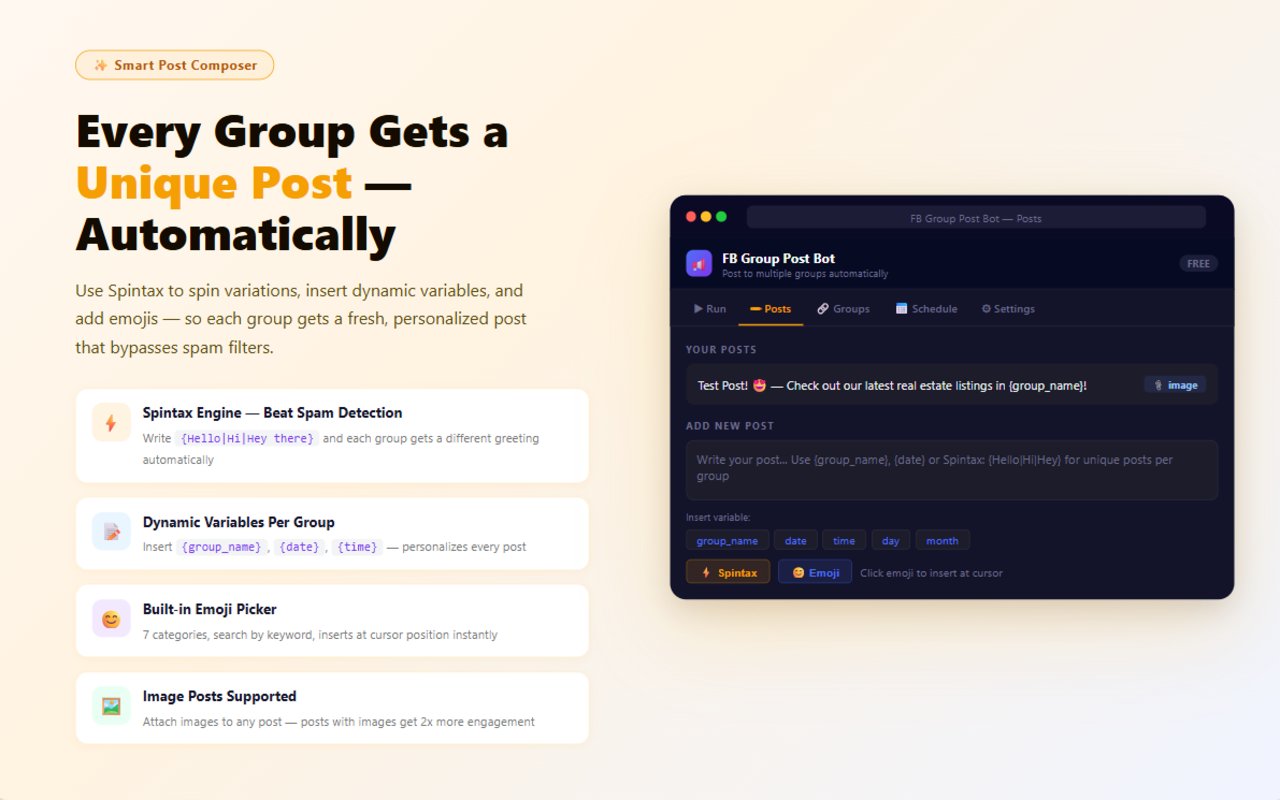
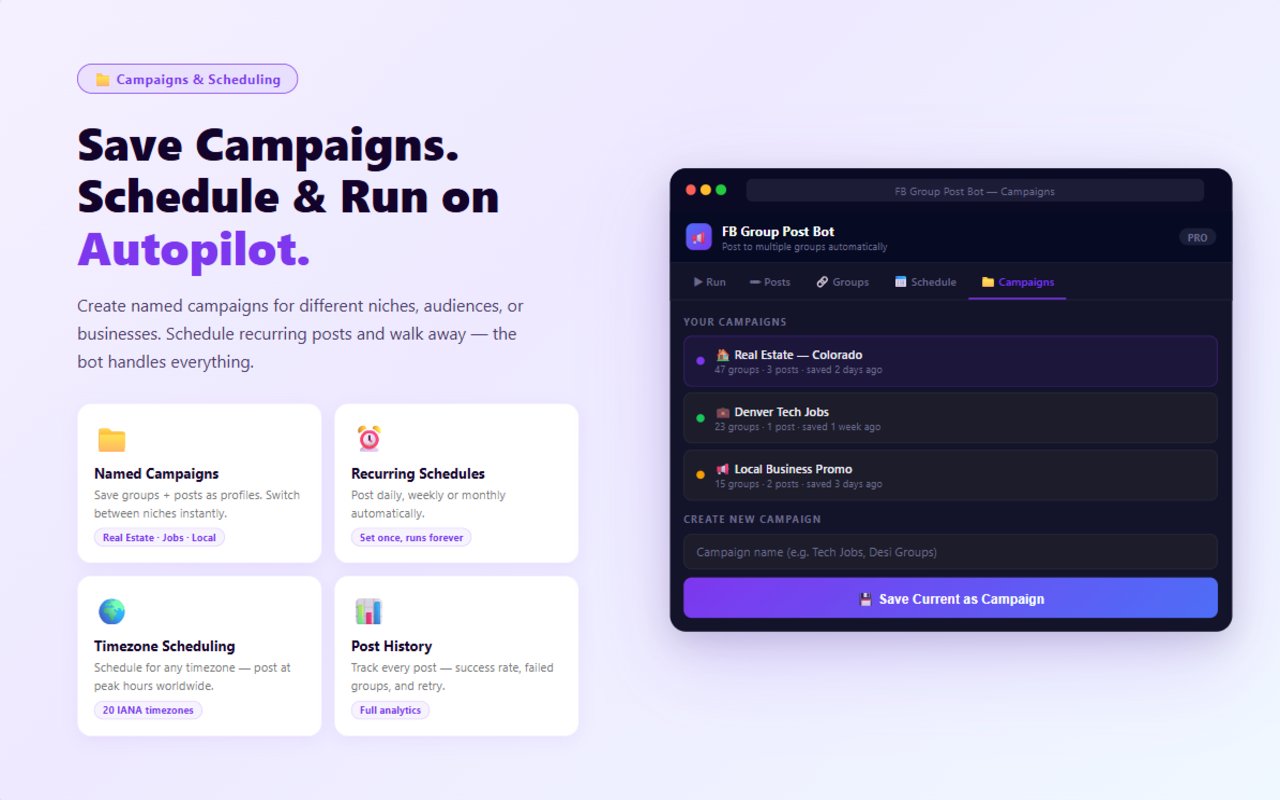
Create named campaigns for different niches, audiences, or businesses. Schedule recurring posts and walk away — the bot handles everything.
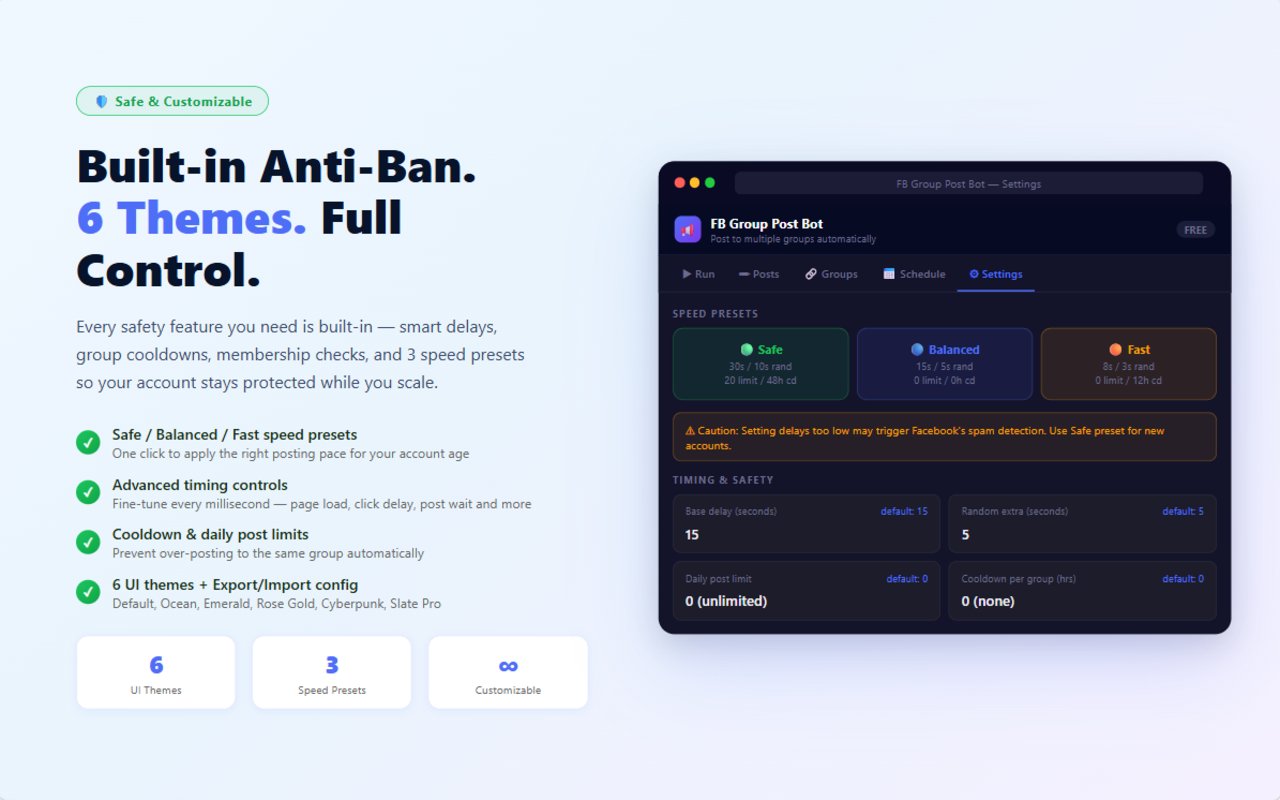
Every safety feature you need is built-in — smart delays, group cooldowns, membership checks, and 3 speed presets so your account stays protected while you scale.
This section helps visitors identify themselves fast instead of wondering whether the tool is for them.
Save different campaigns for different clients, then switch between them without starting from zero.
If you are manually copy-pasting into group after group, this is the section that speaks straight to your daily pain.
Once the system is set up, someone else can follow the same path instead of guessing what to click next.
From install to fully automated — takes less than 5 minutes.
Add FB Group Post Bot to Chrome from the Chrome Web Store. Free, instant, no account needed.
Search keywords on Facebook, click "+ Add to List" next to any group. Build your entire library in one session.
Type your post, pick your groups, and hit Start. The bot posts to every group automatically while you step away.
Open any tab below to match the screen with the exact action you will take inside the extension.
This is the first screen you open when your groups and post drafts are already ready. The counters at the top show how many groups are loaded, how many posts are saved, and how many runs are finished. When you click Start Posting, the bot begins working through the queue.
This screen is for finding Facebook groups and adding them straight into your working list. In the example shown, the extension adds a blue + Add to List button beside every result, so you do not have to copy group links one by one.
This is where you write the message template that will be reused across groups. The screen shown already has a sample post at the top, an input box for the next post, shortcut chips for variables, and buttons for Spintax and emoji.
Use this part when you do not want to click Start manually every day. You create a schedule once, choose the time and timezone, and let the extension run recurring posting jobs for you.
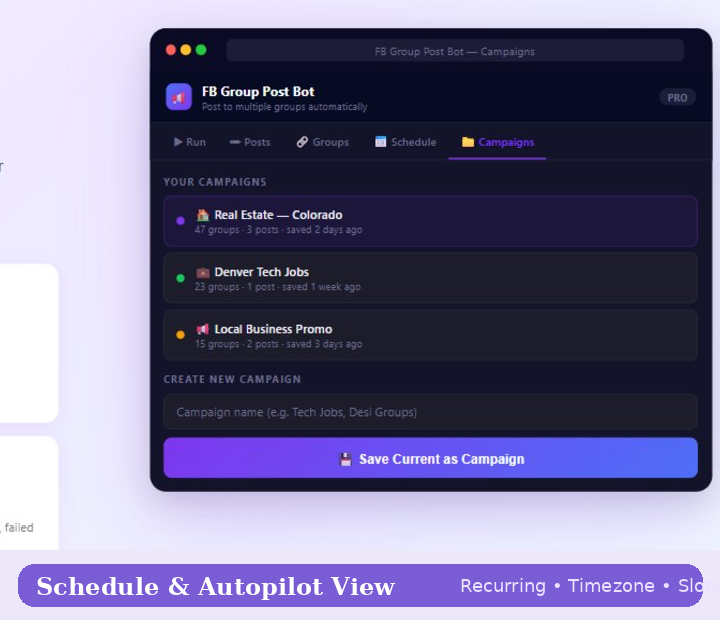
The screenshot here shows named campaigns like real estate, tech jobs, and local business promo. This tab is where you save a full setup, so later you can load the same group set, post set, and working flow without rebuilding everything again.
This screen is for account safety and pacing. You can pick a preset like Safe, Balanced, or Fast, then adjust base delay, random extra seconds, per-group cooldown, and daily post limit based on how aggressive you want the run to be.
This gives you a stronger trust section because it answers the fear people already have in their head.
These tools usually try to dump the same content too quickly. That is exactly what makes people nervous.
This is the message that should sit on your page because it reduces the biggest trust objection around Facebook automation.
This section makes the product feel practical because it shows the rhythm of actual use.
Open the extension, load the campaign you want, check your groups and content, and confirm the timing you want to use for the day.
Instead of manually opening dozens of groups, the extension handles the posting pattern while you move on to replies, leads, or other work.
Review what went out, see what failed, and rerun only the missed groups instead of starting from scratch.
The only real limit on Free is 3 groups per run. Everything else stays open so people can feel the product before paying.
🔒 Payments via Stripe — Apple Pay & Google Pay supported. License key delivered by email after checkout.
Every feature, every plan, side by side.
| Feature | Free | Pro | Business |
|---|---|---|---|
| Core Posting | |||
| Groups per run 🔒 Only hard limit on Free | 3 | Up to 50 | Unlimited |
| Text posts | ✓ | ✓ | ✓ |
| Image posts | ✓ | ✓ | ✓ |
| Unlimited post templates | ✓ | ✓ | ✓ |
| Spintax engine {Hello|Hi|Hey} | ✓ | ✓ | ✓ |
| Dynamic variables (group_name, date, time…) | ✓ | ✓ | ✓ |
| Dry run preview | ✓ | ✓ | ✓ |
| Retry failed groups | ✓ | ✓ | ✓ |
| Scheduling | |||
| Post scheduling | ✓ | ✓ | ✓ |
| Active schedule slots | 3 | 6 | Unlimited |
| Recurring schedules (daily / weekly / monthly) | ✓ | ✓ | ✓ |
| Timezone-aware scheduling (20 IANA zones) | ✓ | ✓ | ✓ |
| Campaigns | |||
| Saved campaign slots | 3 | 6 | Unlimited |
| History & Analytics | |||
| Post history depth | 30 entries | 100 entries | 500 entries |
| Success rate & stats | ✓ | ✓ | ✓ |
| Group Management | |||
| Group tags & filters | ✓ | ✓ | ✓ |
| Membership check | ✓ | ✓ | ✓ |
| Pause / unpause groups | ✓ | ✓ | ✓ |
| Cooldown control | ✓ | ✓ | ✓ |
| Settings & Control | |||
| All speed presets (Safe / Balanced / Fast) | ✓ | ✓ | ✓ |
| Advanced timing controls | ✓ | ✓ | ✓ |
| Random delay | ✓ | ✓ | ✓ |
| Export / Import config | ✓ | ✓ | ✓ |
| UI themes (6 total) | ✓ | ✓ | ✓ |
| Account & Devices | |||
| Device seats | 1 | 1 | 3 |
| Support | Priority | ||
Still have questions? Email us at support@fbgrouppostbot.com — we respond within 24 hours.
No credit card required. Free forever with 3 groups per run. Upgrade only when you need more scale.
🚀 Add to Chrome — It's Free